

CREWELD AI FOR SITE TEAMS

What happened on site today?

Creweld keeps attendance records, tasks and crew conversations together. Follow a day in Block A to see how Creweld AI helps make sense of them.

Follow the dot through a day on the Kadıköy site.

A receiver phone picks up the Bluetooth signal. The time of that reading becomes part of the site record.

06:30 / FIRST READING

Ali’s tag checks in.

A receiver picks up Ali’s tag in Block A. His reading sits alongside the crew’s task notes for that site.

Kadıköy · Block A

First reading of the day
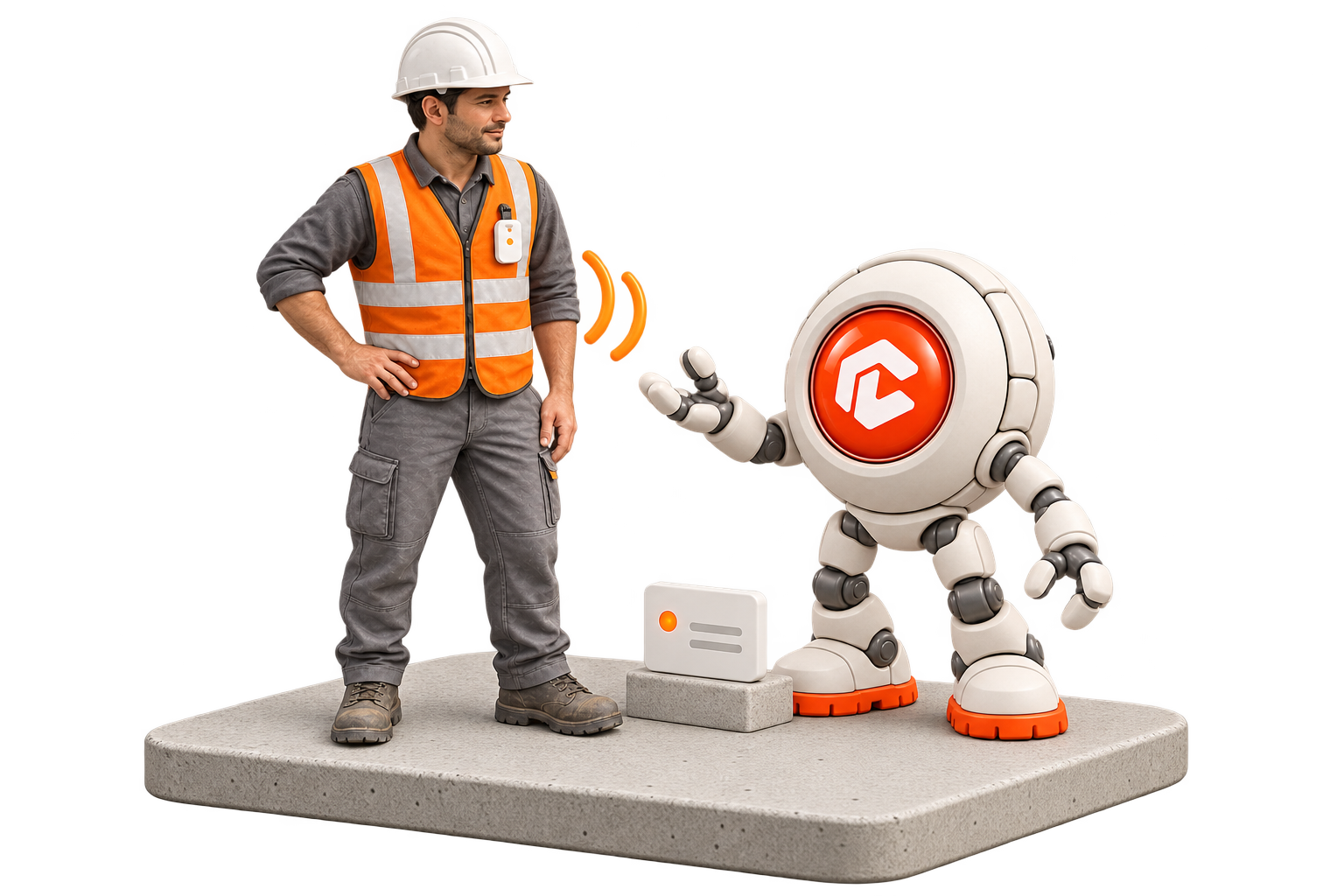
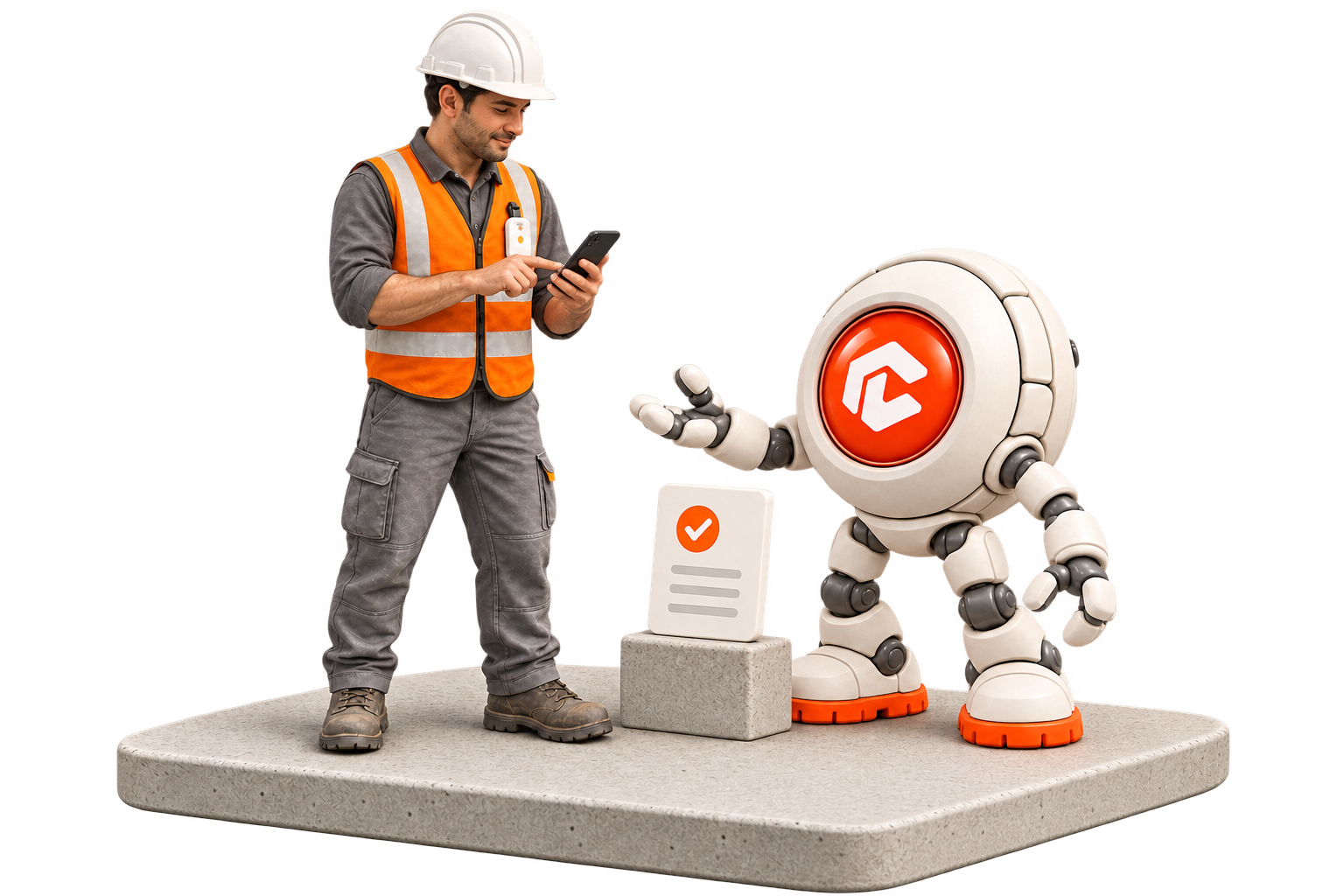
The Creweld AI mascot with a worker carrying a Bluetooth tag.
Ali DemirElectrical crew

Bluetooth reading · Kadıköy, Block A
09:15 / A GAP IN THE READINGS

Why did the readings stop?

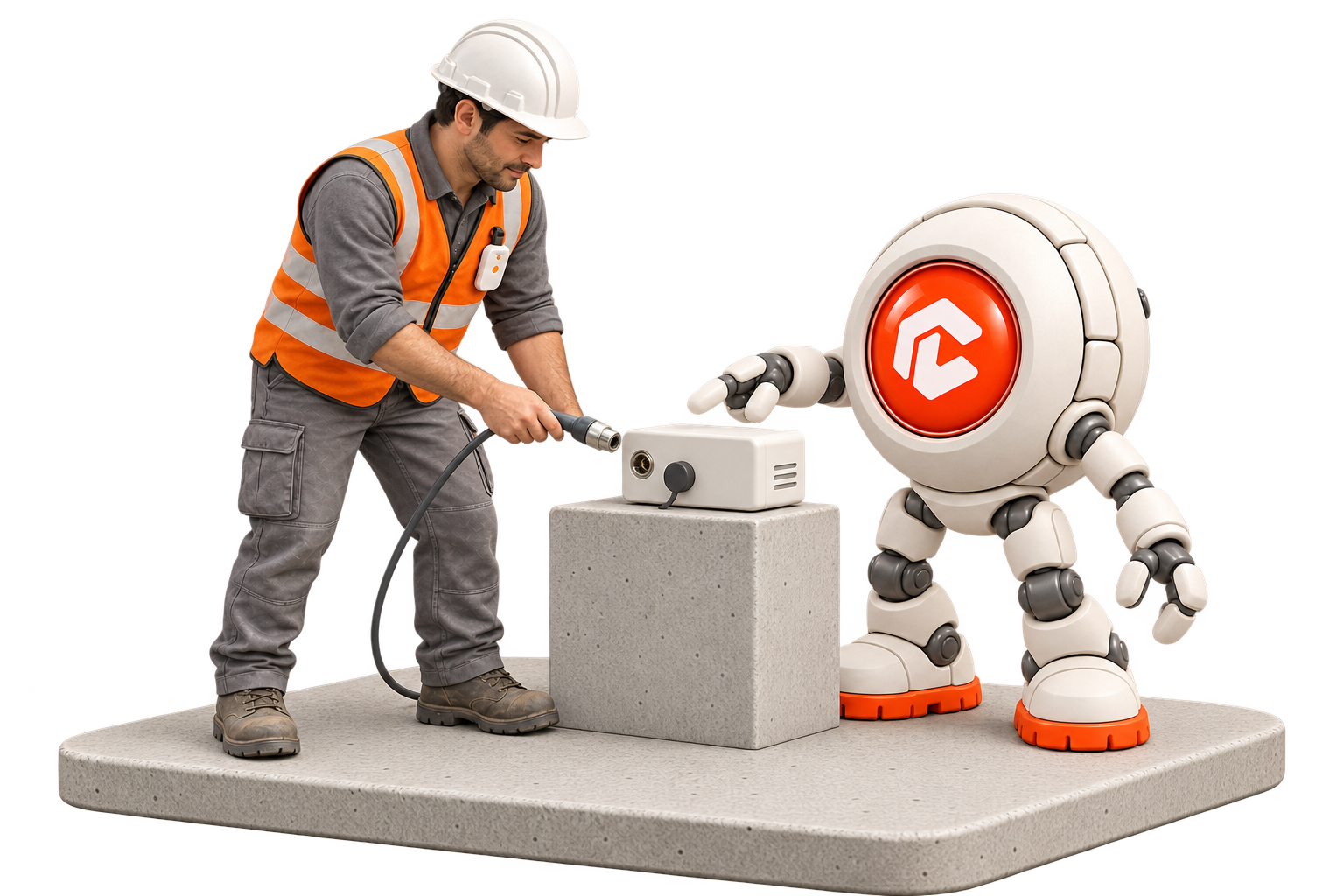
The receiver went offline just as the tag readings stopped. Check its connection first.

Kadıköy · Block A

Compare the two logs

The mascot and a worker checking the site receiver’s connection.
Tag readingLast seen at 09:12
ReceiverDisconnected
Upload historyEarlier readings retained
Check the receiver first.

The gap began when the receiver lost its connection.

10:45 / THE LATEST DRAWING

Which drawing should we use?

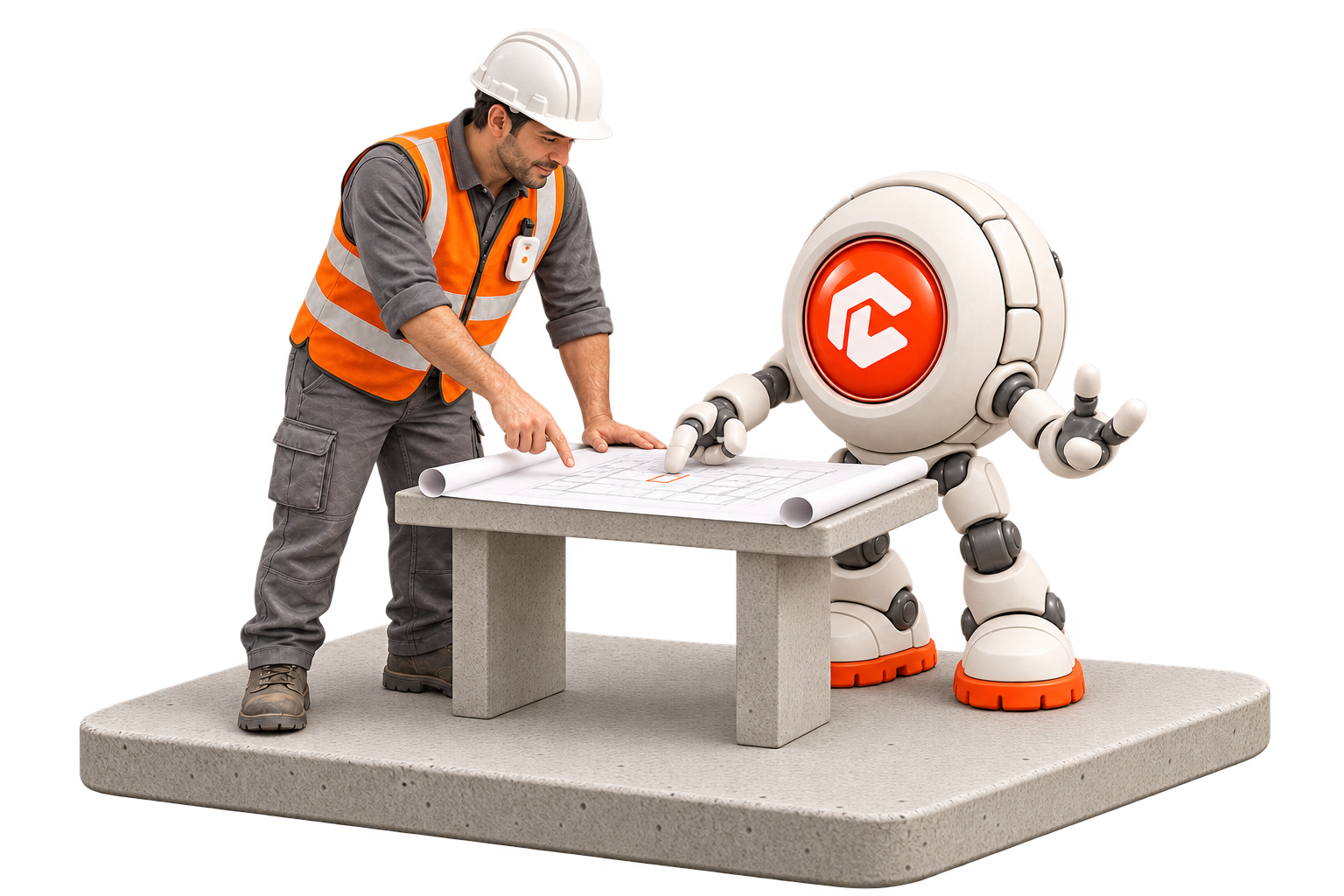
Selin has shared the revised floor plan. Open the task to see the file and the message that came with it.

Kadıköy · Block A
YOU

What’s holding up the electrical work in Block A?

A-Blok_Kat-Plani.pdf
The mascot pointing out a detail on a floor plan to a worker.

The crew was waiting for the latest floor plan. Selin has shared the file.

A-Blok_Kat-Plani.pdfTask 024 · Selin · 10:42
Next up is the site inspection.
18:00 / END OF SHIFT

When can the crew inspect Block A?

The supervisor gets a shift summary in Creweld chat. Her reply about the inspection is attached to the task.

Kadıköy · Block A

Ask the supervisor.

A worker answers a site update on his phone beside the mascot.
Ece · Site supervisor

We’ve got the floor plan. When can we inspect?

We’ll check it tomorrow at 09:00.

Reply linked to Task 024.
ONE DAY ON THE KADIKÖY SITESee the full sequence
06:30FIRST READING

Ali’s tag
checks in.

A receiver picks up Ali’s tag in Block A. His reading sits alongside the crew’s task notes for that site.

The record includes the site and time.
09:15A GAP IN THE READINGS

Why did the
readings stop?

The receiver went offline just as the tag readings stopped. Check its connection first.

A gap in the log leaves attendance unconfirmed.
10:45THE LATEST DRAWING

Which drawing
should we use?

Selin has shared the revised floor plan. Open the task to see the file and the message that came with it.

Only records your account can open are used.
18:00END OF SHIFT

When can the crew
inspect Block A?

The supervisor gets a shift summary in Creweld chat. Her reply about the inspection is attached to the task.

The next shift can read her reply there.
Kadıköy · Block A

First reading of the day

The Creweld AI mascot with a worker carrying a Bluetooth tag.
Ali DemirElectrical crew

Bluetooth reading · Kadıköy, Block A
Compare the two logs

The mascot and a worker checking the site receiver’s connection.
Tag readingLast seen at 09:12
ReceiverDisconnected
Upload historyEarlier readings retained
Check the receiver first.

The gap began when the receiver lost its connection.

YOU

What’s holding up the electrical work in Block A?

A-Blok_Kat-Plani.pdf
The mascot pointing out a detail on a floor plan to a worker.

The crew was waiting for the latest floor plan. Selin has shared the file.

A-Blok_Kat-Plani.pdfTask 024 · Selin · 10:42
Next up is the site inspection.

Ask the supervisor.

A worker answers a site update on his phone beside the mascot.
Ece · Site supervisor

We’ve got the floor plan. When can we inspect?

We’ll check it tomorrow at 09:00.

Reply linked to Task 024.
A site assistant using your records
A-Blok_Kat-Plani.pdf
Reply linked to the task

Everyday uses for Creweld AI

Shift summary

Summarise the shift
See morning priorities and what the crew finished that evening.
Group related alerts
Read notifications about the same issue together.

Open work

Draft a task
Pick out the owner and date from a crew message.
Spot missing items
Find the inspection that still needs a photo or a reply.

Drawings and approvals

Find a revision
Check the sharing record to identify the latest document.
Explain a delay
See which approval or earlier step is holding up the work.

What’s holding up the Block A inspection?

Four records explain what the inspector still needs before signing off.

Choose a record or finding to see how it relates to the Block A inspection.

Inspection records

Why is the Block A inspection still open?

Awaiting the inspection photo.

Task owner · Selin Kaya

Inspection findings

Selin Kaya owns Task 024. A reminder can be drafted for her to add the photo Ece needs for approval. No reminder has been sent.

Inside Creweld

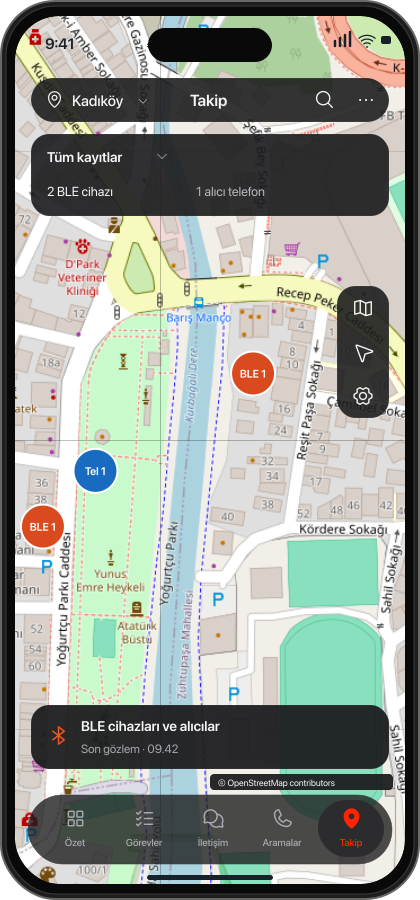
Explore the dashboard and the field app. The sample screens show the Turkish interface.

Product view
Dashboard screens
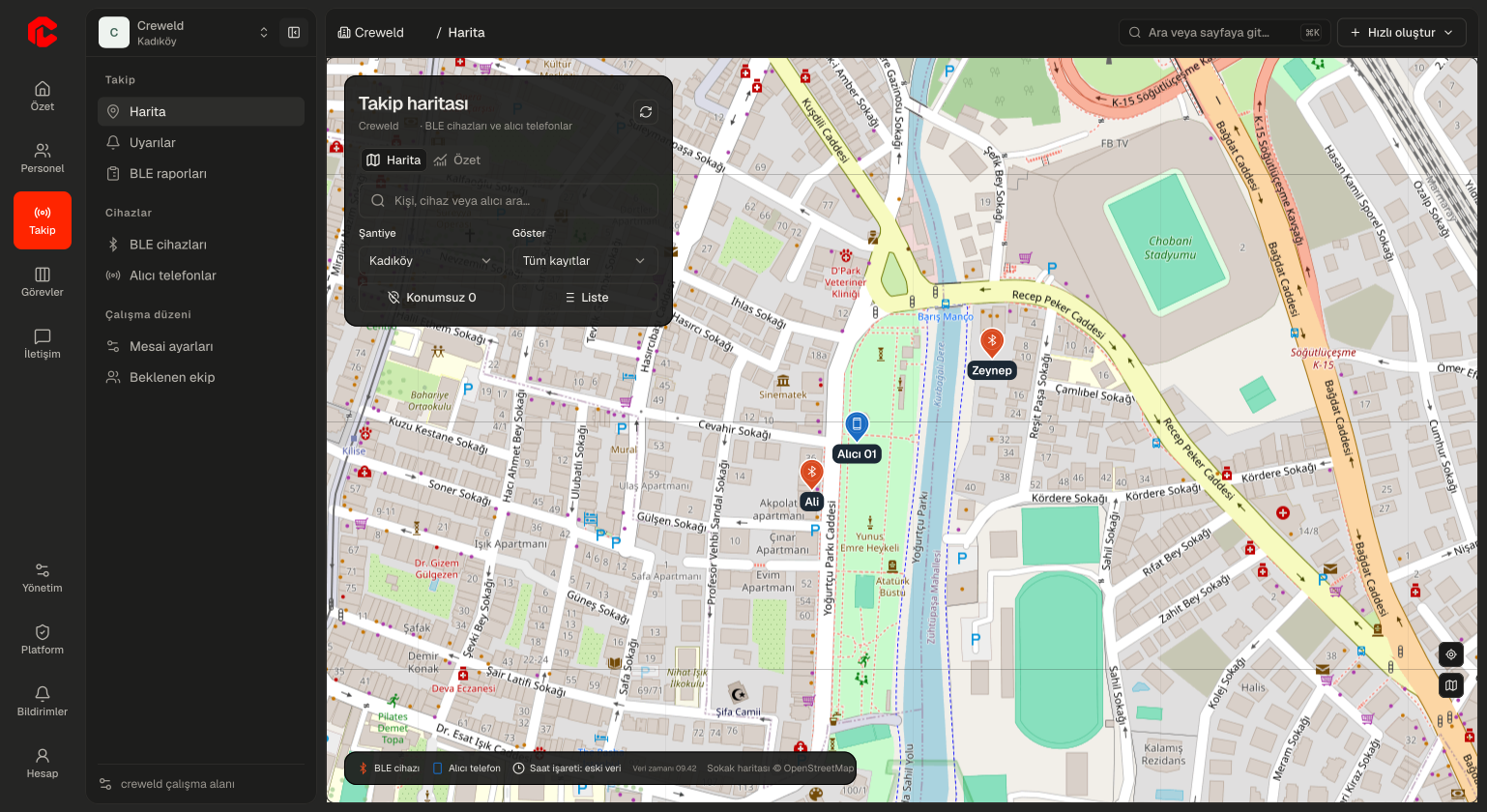
Creweld map showing two sample Bluetooth tags around Kadıköy, with filters.
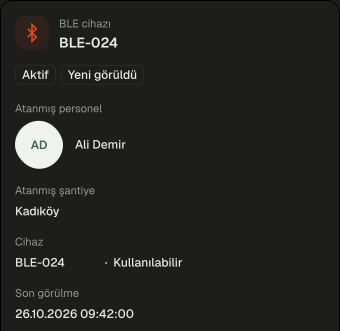
Device details
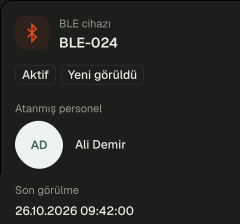
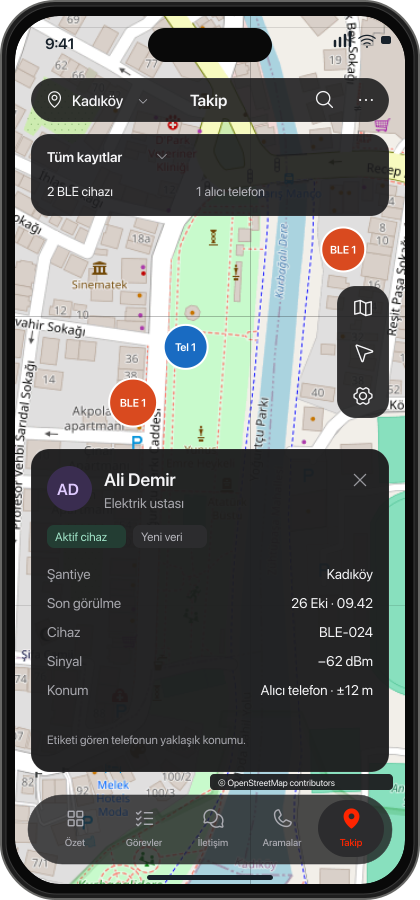
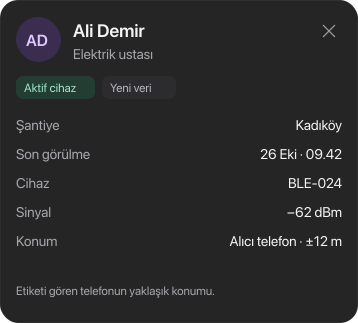
Personnel assignment, site and last reading for tag BLE-024.
Close-up of the dashboard map in Kadıköy, showing Ali’s and Zeynep’s tags and Receiver 01.
Kadıköy
Device details
Active tag BLE-024 is assigned to Ali Demir. The panel shows a reading at 09:42:00 on 26 October 2026.
Tags, receivers and the time of the last reading.© OpenStreetMap contributors
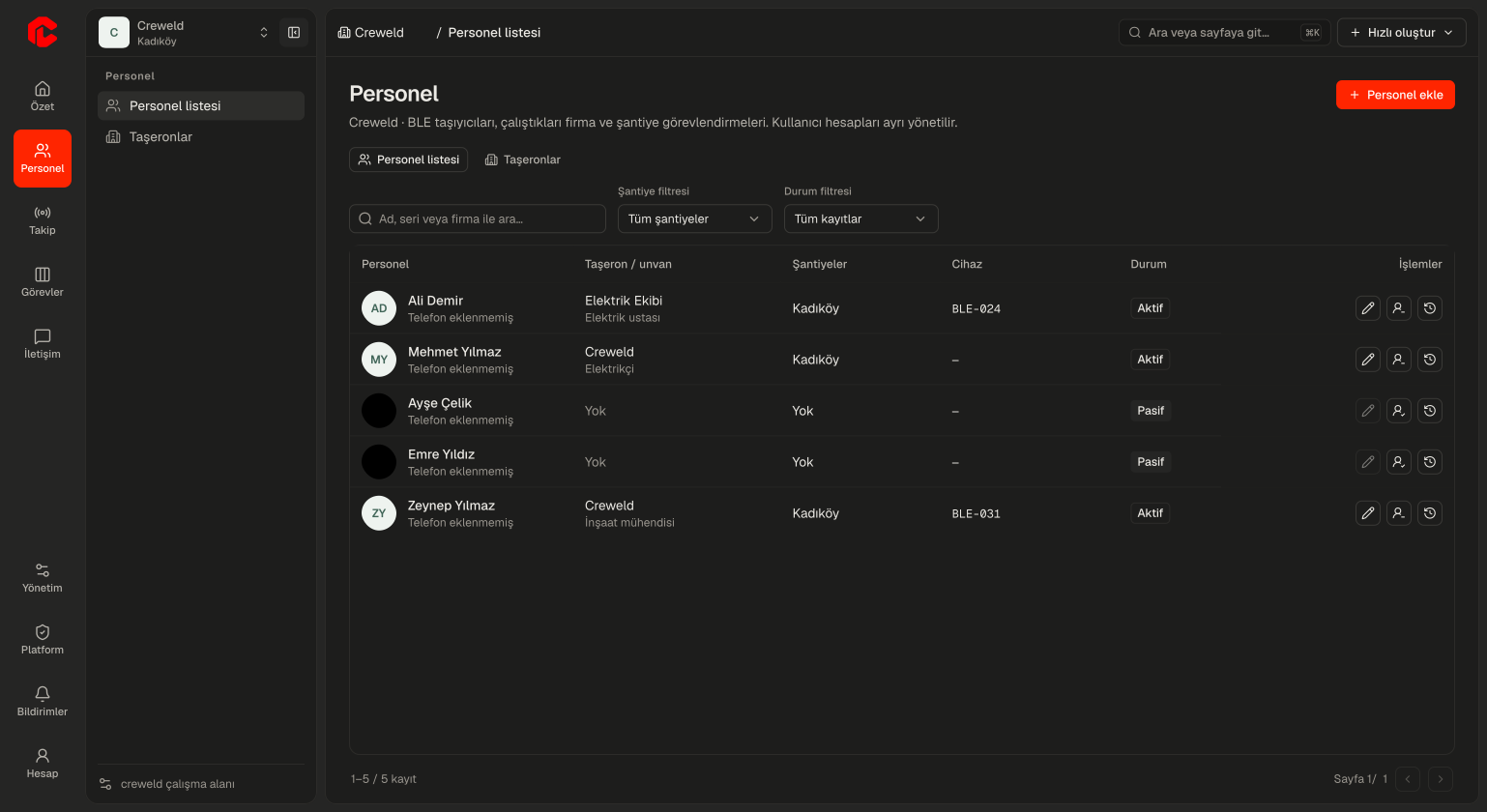
The personnel table shows crew, site, device and status columns.
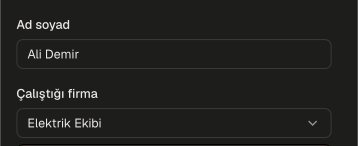
Personnel record
Ali Demir’s personnel record, showing his name and company.
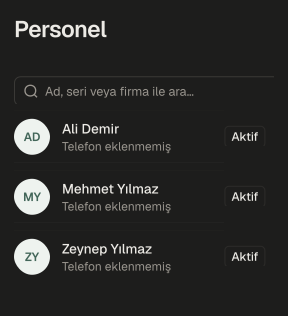
Personnel list showing Ali Demir, Mehmet Yılmaz and Zeynep Yılmaz, all active.
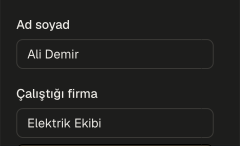
Personnel record
Ali Demir’s personnel record lists the electrical crew as his company.
See each worker’s crew and assigned device.
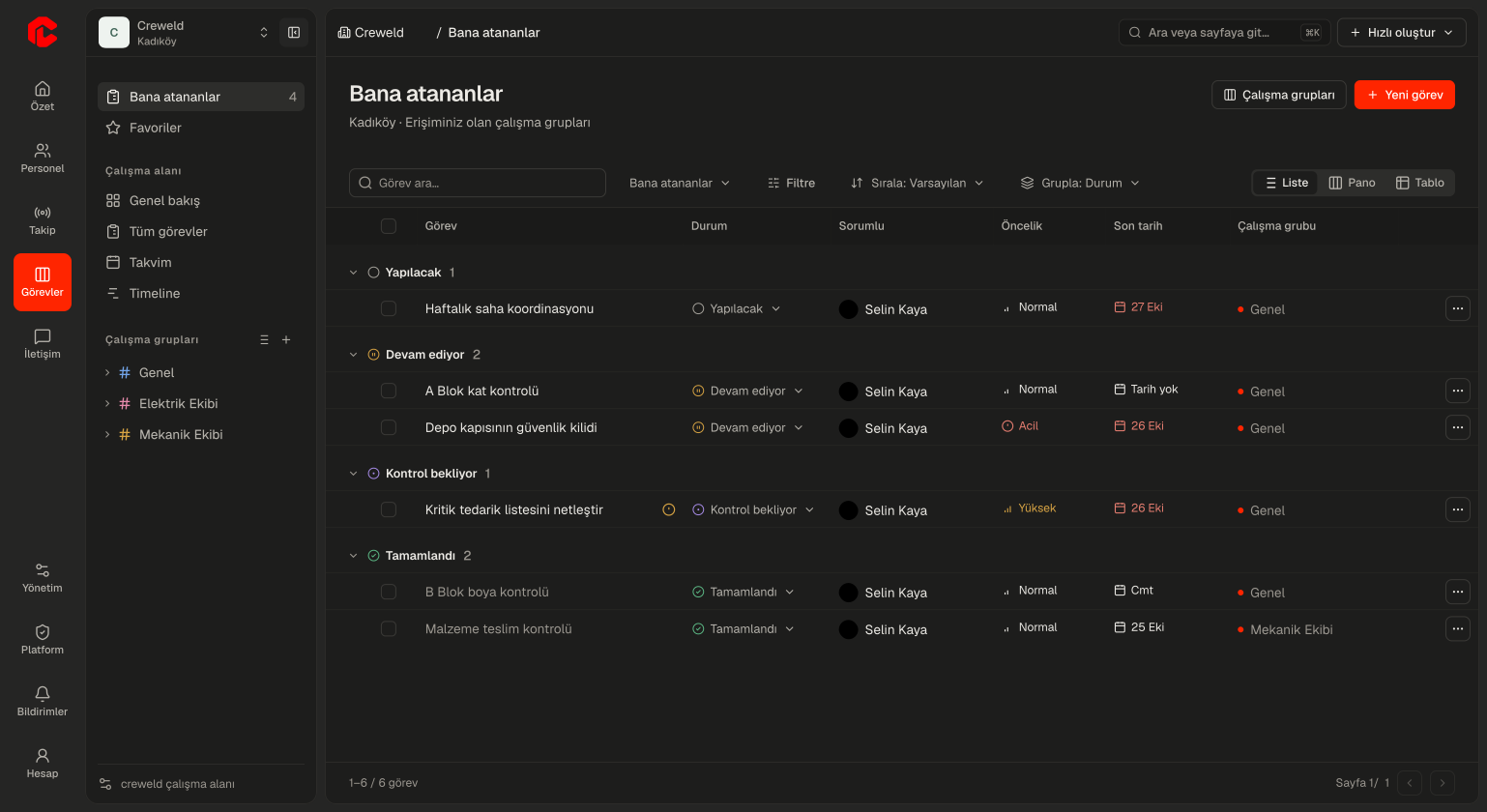
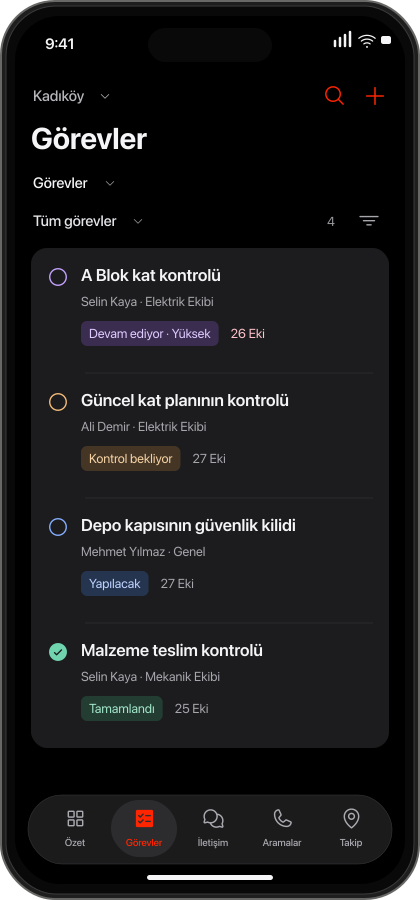
Site tasks grouped by status in Creweld.
Task details
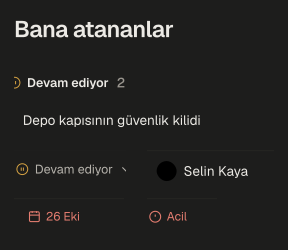
The store door task with its status, owner, priority and dates.
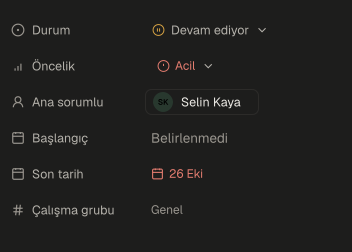
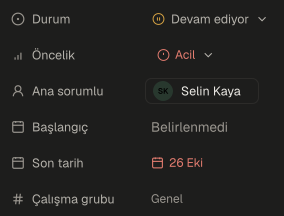
Assigned task to secure the store door. Selin Kaya owns the task, marked urgent and in progress, due 26 October.
Task details
The General group’s store door task is urgent and in progress. Selin Kaya is the owner, the due date is 26 October and no start date is set.
See who owns a job and when it is due.
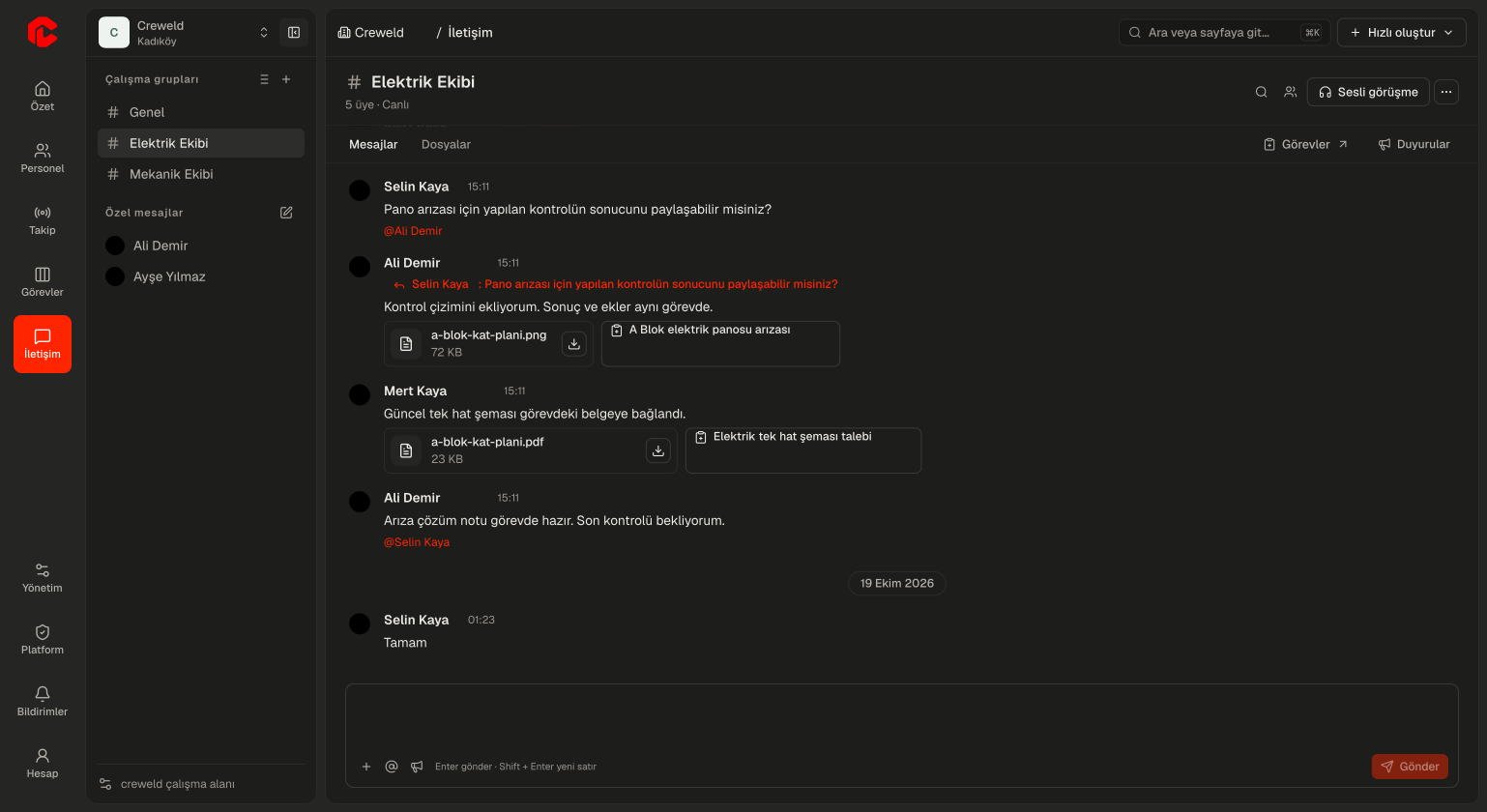
The electrical crew chat with messages, file attachments and links to tasks.
Floor plan
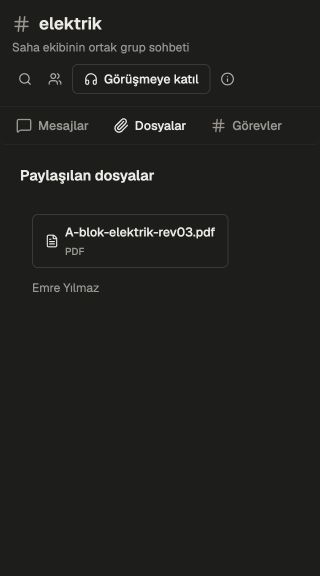
The floor plan PDF shared in the crew chat.
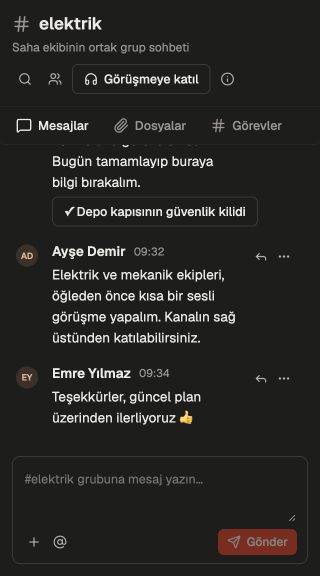
Electrical crew chat on a mobile dashboard with avatars, group controls, messages and a compose field.
Messages, attachments and links to the work they concern.

Scroll sideways to see more of the dashboard.

Mobile app screens

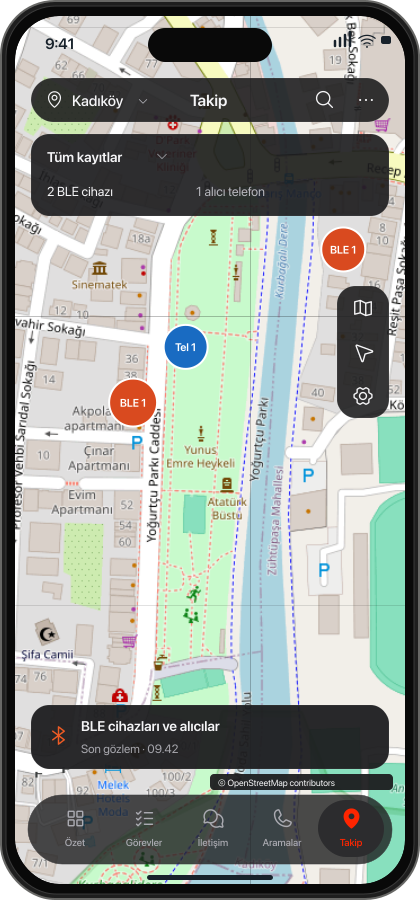
On site, open the map, update a task or message your crew from your phone.

Select a tag to see its latest reading.

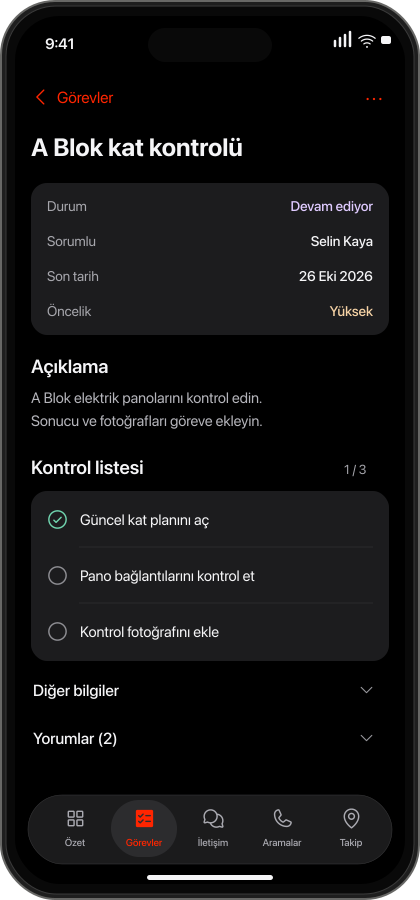
Open a job and work through its checklist.

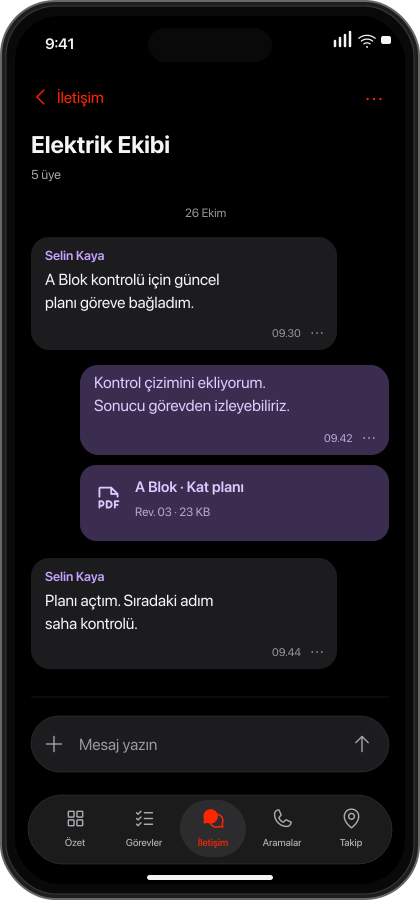
Find a drawing in the conversation where the crew shared it.

The mobile app’s site map with Bluetooth tags and receiver phones.The mobile app’s site map with Bluetooth tags and receiver phones.Last reading, receiver and signal information for the device assigned to Ali Demir.
Device details
Close-up of the latest reading, signal and receiver for Ali Demir’s tag.
© OpenStreetMap contributors
The mobile task list with a Block A floor inspection and crew assignments.The mobile task list with a Block A floor inspection and crew assignments.Block A floor inspection showing the assignee, status and checklist.
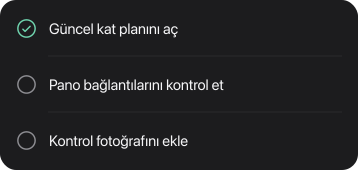
Checklist · 1 of 3
The three checklist items for the Block A inspection.
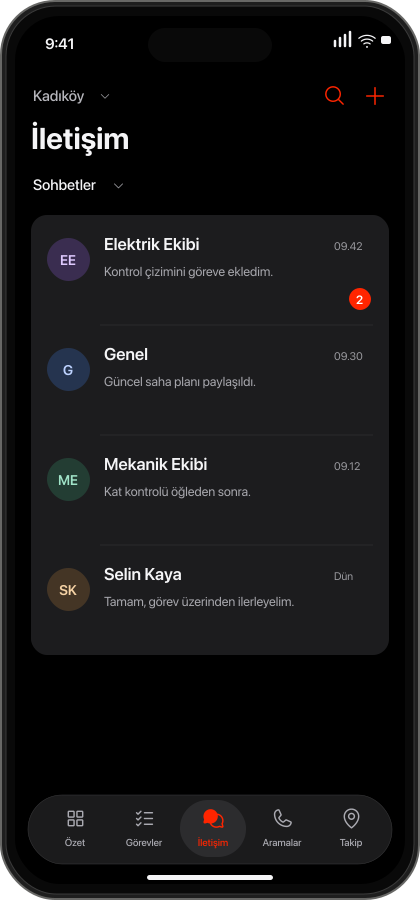
Messages about a task and a link to a drawing in the electrical crew chat.The mobile app’s work groups and direct messages.Messages about a task and a link to a drawing in the electrical crew chat.
Shared floor plan
The electrical crew’s Block A floor plan with its revision number.

What can the
assistant access?

The Creweld AI mascot waving.

Which records does Creweld AI use?

It uses tasks, documents and conversations across the companies and sites available to your account.

Do I approve changes?

Yes. The assistant can review records and suggest a change. You approve actions such as creating a task or assigning a new owner.

What if a reading is missing?

The answer flags missing or stale records. A lost signal alone cannot tell you that a worker has left the site.

Tell us about your site.

Which job usually sends your crew looking for a drawing, a message or yesterday’s site record? Bring it to a demo.

CREWELD DEMO

Show us how your site works

How do you keep attendance records and assign work today? Those are good places to start a demo.

All fields are required.

This form is a preview. It doesn’t send or store your details.